Why
When I started painting, mixing my colors was a huge pain. Color mixing is how painters make the colors they need: a set of paints holds only a dozen or so tubes, so nearly every color in a painting is blended from them.
It's a slow guess-and-check process: start with a little bit of this and that. It looks wrong, so you add a color and well, that just made it look more wrong. Time to try something new. Eventually you do mix yourself to a color that looks right (or good enough).
Then comes the next challenge: you have to remember how you made it. Did that take two drops of red or three? Once you've worked it out, you mix a big batch and squirrel it away in a cup. You'll need that color again and don't want to repeat the struggle. Worse, you might never get it right a second time.
The problem here is the guesswork. If you had a guide, something to follow, something approximately correct—you would be able to play around with colors without worrying about ruining your precious little swatch. You could also stop stressing about paint storage. Don't have a color you need? Just make it again!
Directionless struggling isn't a helpful way to learn. Guessing doesn't help you. There are enough challenges with painting; agonizing over color mixing needn't be one. Thus, paintrecipe.com was born.
How it works
To figure out how to mix your paints, you need to answer two questions:
- What colors do I need?
- How do I make them?
Part I.What colors do I need?
A photo has tens of thousands of distinct colors. A painting needs a palette; we use 16 colors by default. The goal is to split the photo into regions and choose a small set of colors so that, painting each region with one of them, the result still looks like the photo. That takes three steps.
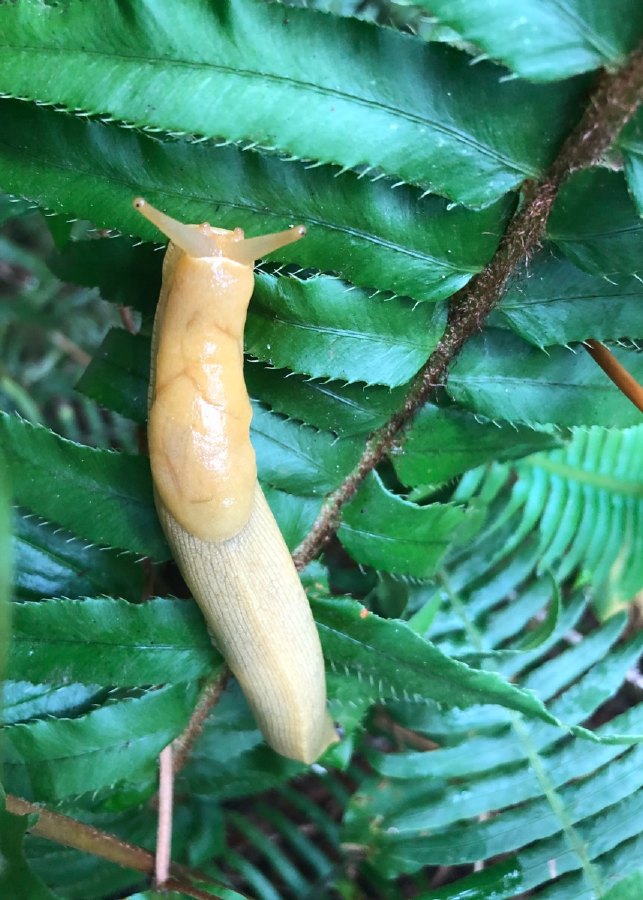
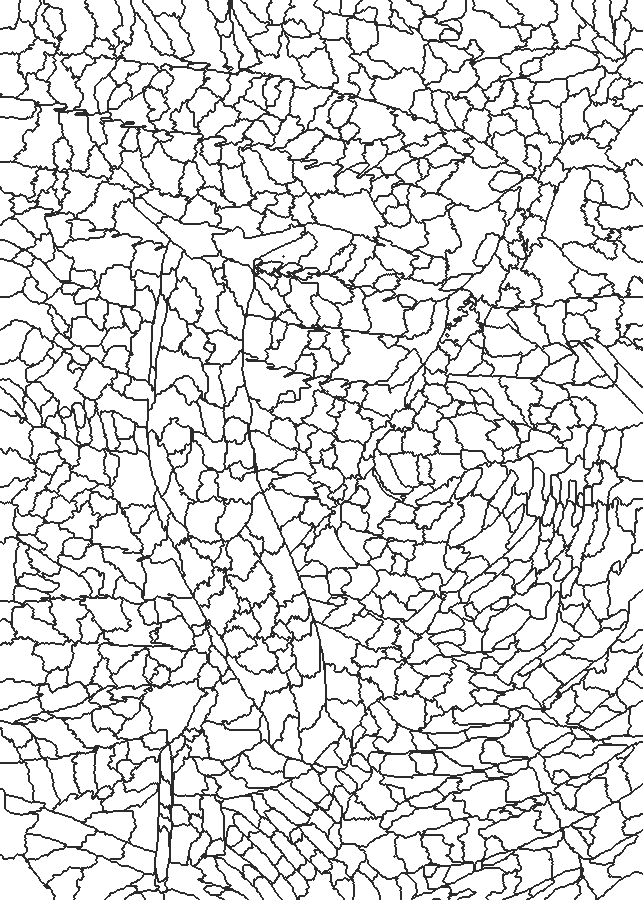
Quickshift splits it into 925 regions.
1. Split the photo into regions
The first step groups neighboring pixels of similar color into regions called superpixels; we aim for about a thousand by default. Working with regions rather than single pixels keeps the outline readable. Each pixel is described by its color in Lab (more on that below) and its position. The studio offers three main approaches:
- Quickshift (the default, Vedaldi & Soatto, 2008) estimates how crowded each pixel's neighborhood is with similar colors, then links every pixel to the nearest pixel that is more crowded than itself, as long as it's within a maximum distance :Following the links uphill, pixels that reach the same peak form a region. Regions follow the photo's edges and can be long and thin, so they stay faithful to detail, but grouping them into colors leaves more specks too small to paint. The defaults () give 925 regions for the slug.
- SLIC (Achanta et al., 2012) is k-means clustering on those five numbers per pixel, starting from a grid of centers pixels apart, with a distance that weighs color against position:The compactness keeps regions compact and roughly even in size, with no specks; long, thin things like a twig can get absorbed into their neighbors. The default asks for 1,150 regions and gets 1,018 for the slug.
- No superpixels skips regions altogether: k-means groups the pixels themselves by color. The painting looks closest to the photo (for the slug, an average color difference of 7.6 against about 10 with regions) but it's a weak guide. Nothing decides where paint goes, so the colors scatter into over 15,000 specks too small to paint.
Compared at the same number of regions, neither SLIC nor Quickshift wins outright: Quickshift follows edges better and is often a little more faithful on busy photos, while SLIC is tidier and easier to paint.
2. Give each region its average color
Each region is reduced to the average color of its pixels :
The average is taken in CIELAB ("Lab"), a color space built so that straight-line distances roughly match how different two colors look to people: is lightness, runs green to red, and runs blue to yellow. Averaging the raw RGB numbers instead gives subtly wrong, often muddier colors.
3. Group the regions into colors
Now k-means runs again, on color alone. It looks for group colors ( will be the size of your pallete) and an assignment of regions to groups that keep every region close to its group's color:
It starts from guesses spread out on purpose (k-means++), then repeats two moves (the studio runs 10 rounds): every region joins its nearest group () and every group color moves to the average of its regions. Each group's final color is the average of all its pixels. Every region takes its group's number. That's the color guide.
Each dot is one of the slug's 925 Quickshift regions, placed by its color and sized by its area; each square is a group's color, joined to the regions nearest it. Hover a dot, a square, or the photo to see which is which. Flat views show two of color's three directions at once, so some lines cross; 3D shows all three (drag to turn it). In the grouping every region counts once, whatever its size.
Finally, we have our palette. We have reduced the original picture to a small number of distinct colors. Time to figure out how to mix them.
Part II.How do I make them?
First, the forward problem
Finding which paints make a color is an inverse problem. Often, it is easier to solve the forward direction. It is easier to figure out If I mix these paints, what color will I get? than to answer What paints do I need to mix this particular color?
For light, mixing is simple addition. Paint is different: pigments absorb and scatter light (the Kubelka–Munk model), so blue and yellow paint make green, while averaging their RGB numbers gives a dull olive.
Mixbox: where paint mixing is a straight line
paintrecipe uses Mixbox (Sochorová & Jamriška, 2021), a pigment mixing model built on Kubelka–Munk. Mixbox maps each color to seven numbers, the amounts of four base pigments plus a small correction, , chosen so that mixing paint is just a weighted average of those numbers:
The physics stays inside Mixbox. What's left is linear algebra.
Turning the problem around
Mixbox hands us the forward direction: pick amounts of each paint, average their seven numbers and convert back. In math terms, the mix is a linear function of the amounts. Double one tube's share and its contribution to the mix doubles; combine two recipes and their numbers simply add.
That's what makes the inverse easy. If mixing were a tangled, nonlinear process, the only way to find a recipe would be to search: try some amounts, mix, compare, adjust, repeat. That's guess and check again, just done by a computer. A linear forward direction turns the question into a system of linear equations, one of the most thoroughly solved problems in mathematics. There's no searching: the standard tools go straight to the answer. They can also tell us when it's the best one possible.
Now bring in your paints. Each tube in your set has its own seven numbers; stack them as the columns of a matrix . How much of each tube goes into a mix is a vector :
| C | Yellow Medium Azo | Quinacridone Crimson | Ultramarine Blue Red Shade | Naphthol Red Light | Yellow Oxide | Transparent Burnt Sienna | Transparent Raw Umber | Phthalocyanine Green Blue Shade | Cerulean Blue Hue | Dioxazine Purple | Titanium White | Ivory Black |
|---|---|---|---|---|---|---|---|---|---|---|---|---|
| pigment 1 | 0.00 | 0.10 | 0.79 | 0.00 | 0.08 | 0.27 | 0.48 | 0.73 | 0.70 | 0.78 | 0.00 | 0.50 |
| pigment 2 | 0.94 | 0.00 | 0.01 | 0.16 | 0.75 | 0.04 | 0.25 | 0.23 | 0.13 | 0.06 | 0.00 | 0.26 |
| pigment 3 | 0.01 | 0.88 | 0.20 | 0.83 | 0.17 | 0.69 | 0.28 | 0.04 | 0.01 | 0.17 | 0.00 | 0.24 |
| pigment 4 | 0.05 | 0.01 | 0.00 | 0.01 | 0.00 | 0.00 | -0.00 | -0.00 | 0.15 | -0.00 | 1.00 | 0.00 |
| correction 1 | 0.05 | -0.01 | 0.01 | 0.05 | -0.00 | -0.06 | -0.04 | -0.01 | 0.00 | 0.03 | 0.00 | -0.13 |
| correction 2 | 0.02 | -0.09 | -0.01 | -0.10 | -0.00 | -0.03 | -0.07 | -0.00 | -0.00 | -0.03 | 0.00 | -0.14 |
| correction 3 | -0.05 | -0.01 | -0.02 | -0.02 | -0.07 | -0.12 | -0.17 | -0.03 | 0.00 | -0.08 | 0.00 | -0.15 |
12 tubes · rank 7 of 7: full rank, with 5 spare directions, so exact recipes are never unique. Each column is one tube's seven Mixbox numbers: four base-pigment amounts, then three small corrections.
Finding a recipe means solving for , where . Each tube is a point in seven dimensions. Any eight or more such points are linearly dependent: some tube can always be written as a combination of the others (using positive and negative amounts). What matters is the rank of , the number of independent directions its columns span. Seven or more tubes of different colors almost always give full rank, 7, so has an exact solution for any target. Our default set's 12 tubes leave 12 − 7 = 5 spare directions, so there are endlessly many exact answers. So have we done it? Can we make any color we desire? Not quite…
Why some colors are out of reach
Real paint follows two rules: no negative amounts and amounts that add up to the whole mix. In symbols, must lie on the simplex . So mixing is averaging. The mixes your paints can make form the convex hull of their latents:
No mix is lighter than your lightest paint or more vivid than your most vivid one.
You'll never make white without white.
Each square is a target; the patch inside is the closest mix these paints make. 37 of 72 are very close (ΔE under 5); 16 are out of reach (crossed out). Click a paint to take it out of the set: without Titanium White, the light rows and the light grays go.
Solving within the rules
So the question becomes: what's the closest mix the rules allow? Below, four methods go from ignoring the rules to respecting both.
An exact match on paper but impossible to mix: it uses nearly every tube, some in negative amounts.
- Add 67% Titanium White
- Add 28% Transparent Burnt Sienna
- Add 25% Cerulean Blue Hue
- Take out 24% Naphthol Red Light (impossible)
- Add 16% Phthalocyanine Green Blue Shade
- Take out 14% Dioxazine Purple (impossible)
- Take out 14% Transparent Raw Umber (impossible)
- Add 12% Ultramarine Blue Red Shade
- Add 8% Yellow Oxide
- Take out 8% Ivory Black (impossible)
- Add 5% Quinacridone Crimson
With both rules in place (), finding a recipe is a small convex quadratic program with one best value: the closest mix your paints can make. paintrecipe solves it with an active-set method that starts from the best single paint and adds paints one at a time, only when they help, so recipes stay short: fewer tubes for the same color. A second pass (Gauss–Newton) then nudges the amounts to minimize the visible difference rather than the distance between Mixbox's numbers:
Part III.Results
Before the results, a quick look back. Parts I and II took the pipeline one step at a time; here is the whole trip again in three steps, from photo to recipe. Each card links back to where we covered it.
Quickshift or SLIC splits the photo into about a thousand regions, each averaged to one color.
k-means groups the segments into k colors, the size of our palette (16 by default). These are the colors we need to make.
For each color we solve the inverse problem: the closest mix of your paints, with no negative paint and amounts that add up to the whole mix.
Here is the slug at our default settings, mixed from the default paints.
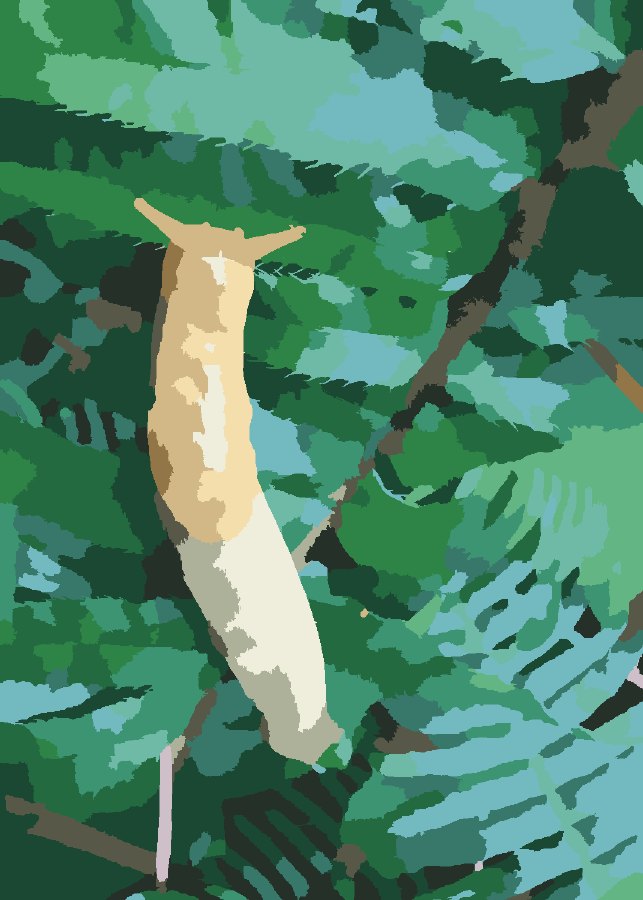
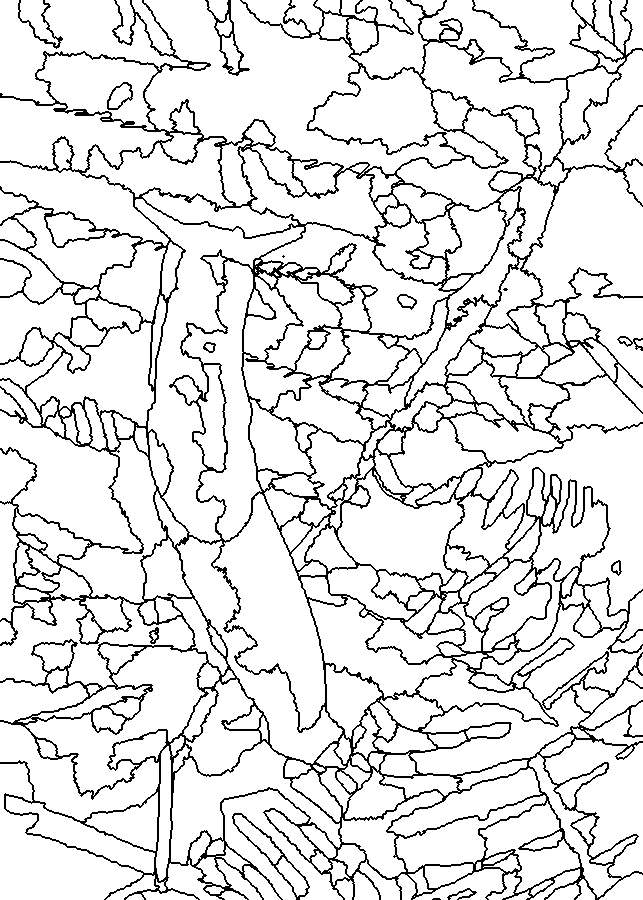 1112222223333334444445555556666667777778889999991010101010101111111111111212121313141414141414151516
The palette: 16 colors, each with a recipe in parts.
Each color also comes with step-by-step mixing: start with the biggest amount and add the rest, checking the color after each addition.
Try it with your own photo, or mix a single color.